
Software update
In today’s fast-paced technological world, software updates have become an integral part of maintaining the performance and security of our devices. This also applies to vehicles, as software updates can improve a vehicle’s overall performance, security, and functionality.
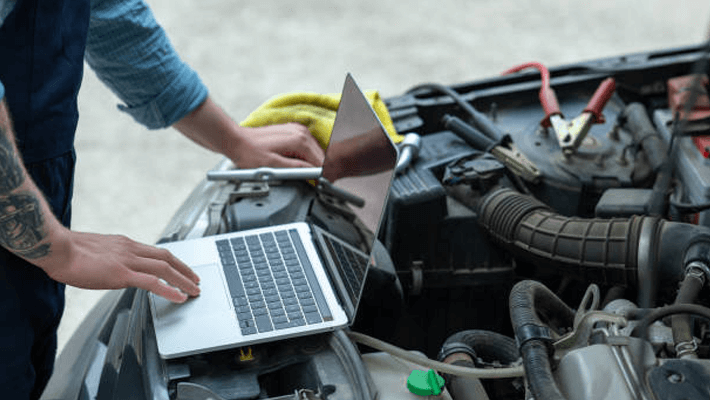
A software update is the process of installing new software or firmware on a device, in this case the vehicle. A software update can improve the performance of the tool, fix bugs and glitches, and increase the functionality of the tool. Software updates can be made via various methods, such as over-the-air (OTA) updates, USB updates, or a dealer visit.
One of the most important aspects of software updates is to stay up to date. Regular software updates are essential to keep the tool running smoothly and prevent more serious problems in the future. The specific update schedule will vary depending on the make and model of the vehicle and the manufacturer’s recommendations.
Updates may include new features, improve the security of the vehicle, and fix known issues with the vehicle. For example, a software update may include improvements to the vehicle’s fuel efficiency, enhance the infotainment system, or include new safety features such as lane departure warnings or automatic emergency braking.
However, it is important to remember that software updates can also cause problems if not done correctly. That’s why it’s important to only install software updates from official sources such as the tool’s manufacturer and make sure the tool is stable before installing the update.
As a result, software updates are an important aspect of maintaining a tool’s performance, security, and functionality. Regular updates can improve the overall performance of the tool, fix bugs and glitches, and increase the functionality of the tool. However, it’s important to only install software updates from the official source and make sure the tool is stable.

How to Update Software?
Updating the software in a vehicle may be a bit more complicated than updating a smartphone or computer, but the process is still relatively simple. The specific steps will vary depending on the make and model of the vehicle and the software being updated, but the general process is as follows:
Check for updates: The first step in updating the software is to check for any updates. This can usually be done by going to the car’s settings menu, connecting to the internet and checking for updates. Some vehicles may also have an update button in the infotainment system or an option to check for updates in the vehicle’s settings menu.
Download updates: When an update is available, it will need to be downloaded. This may take some time, depending on the size of the update and the speed of the internet connection. Before starting the download, it is important to make sure that the vehicle is stable and the battery level is sufficient.
Install updates: After the update is downloaded, it will need to be installed. The setup process varies by vehicle, but usually involves following a series of prompts in the infotainment system. The tool may need to be restarted during the installation process.
Verify updates: After the update is installed, it’s a good idea to verify that the update was installed correctly and that the software version is the latest. This can usually be done by going back to the settings menu and checking the software version.
It is important to note that software updates can also cause problems if not done correctly. That’s why it’s important to only install software updates from official sources such as the tool’s manufacturer and make sure the tool is stable before installing the update.
- Engine Mechanical Repair
- Periodic Maintenance
- Transmission Overhaul
- DSG Card Repair
- Mechatronics Repair
- Software Update
- Adaption
- Engine Overhaul
- Paint
- Body Repair
- Dent Repair
- Paintless Dent Repair
- Body Paint
- General Service
- Vehicle Performance Increase
- Turbo Overhaul
- Suspension System
- Paint Protection
- Original Spare Parts
- Roadside Assistance